I created an AI assistant that fits the Omarchy aesthetic—ideally, at least in terms of appearance. Basically, it’s like Siri.
Open it by saying “Hey, OH-mah” or pressing F8. Say something like “Bye-bye” or press F8 to close it.
You can change the language in the settings screen. The default is determined by the locale.
One clever feature is that it understands, at the hyprland level, which windows are where on the same screen and where the focus is.
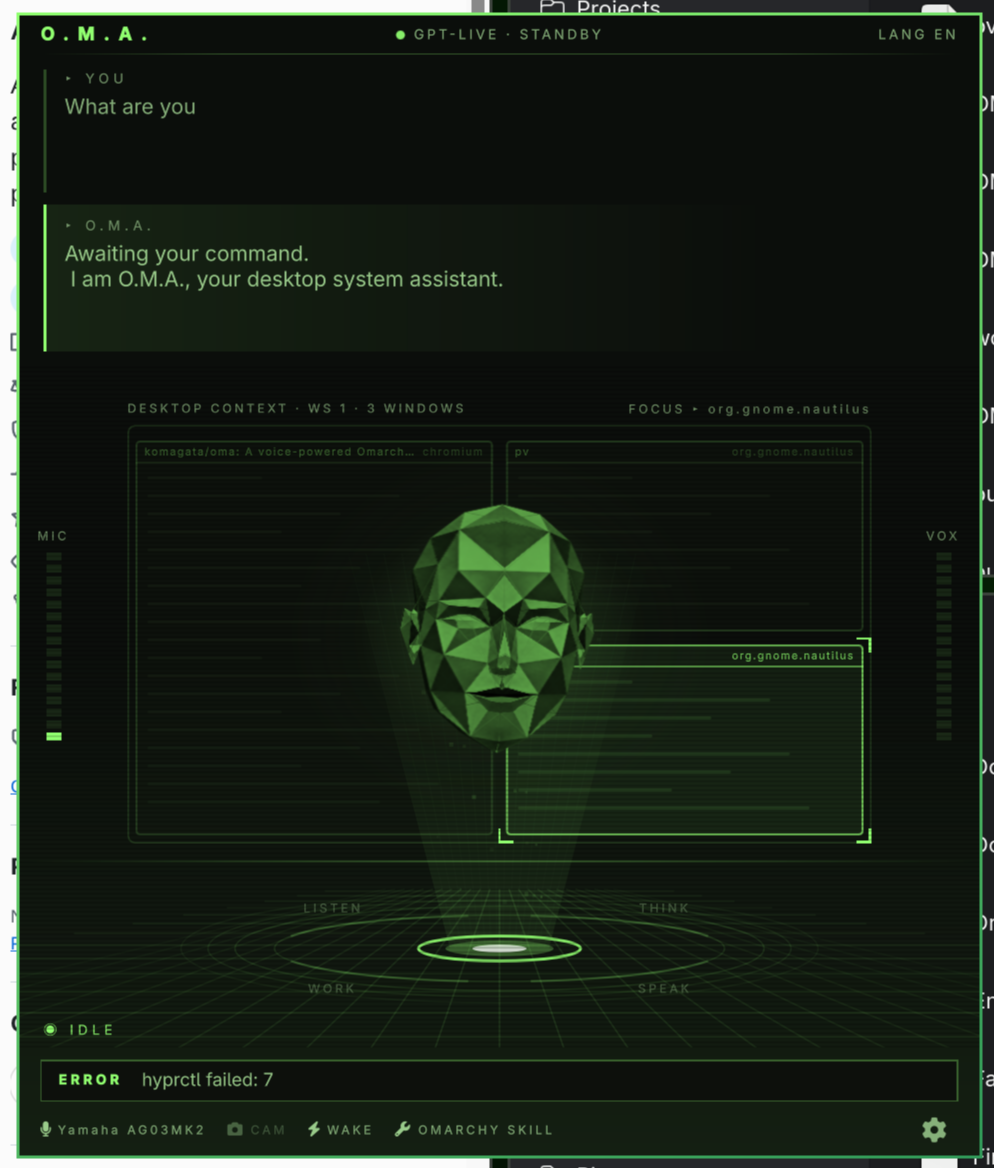
Since it loads the omarchy skill, it can perform various PC operations. It also has its own persistent memory.
Currently, since it uses GPT-Live, an OpenAI API key is required. As an alternative, I tried building it as a local AI by combining it with Pi, but the models that run on a PC of my spec haven’t yet reached a usable quality level, so I’m waiting for further improvements. Both STT (listening) and TTS (speaking) end up sounding a bit disappointing with a local LLM, so I’ve temporarily disabled them.
In terms of technical components,
- GPT-Live
- Omarchy Skill, OMA Skill
- Connection to hyprland
- Persistent memory
- UI
Since the AI component and the features are independent, it’s easy to swap them out.
Installation
omarchy plugin add https://github.com/komagata/oma --enable
It’s nowhere near as cute as Grok Bot or dots, but my vision of AI visuals is stuck in the ’80s, so this is the look I went for. I’d love to see Omarchy make this kind of AI assistant the default.
If you’re an Omarchy user, please give it a try—I’d love to hear your feedback. It supports various languages, but I’ve only tested it in English and Japanese, so if you notice anything odd in your own language, please let me know.
